KeySnap for AndroidOn Google Play
KeySnap turns your phone’s buttons into shortcuts.
Remap the volume buttons to open the camera, switch on the flashlight or take a screenshot. Give every press pattern its own action, and let automations run when the conditions match.
Get KeySnap on Google Play How it works

Press patterns
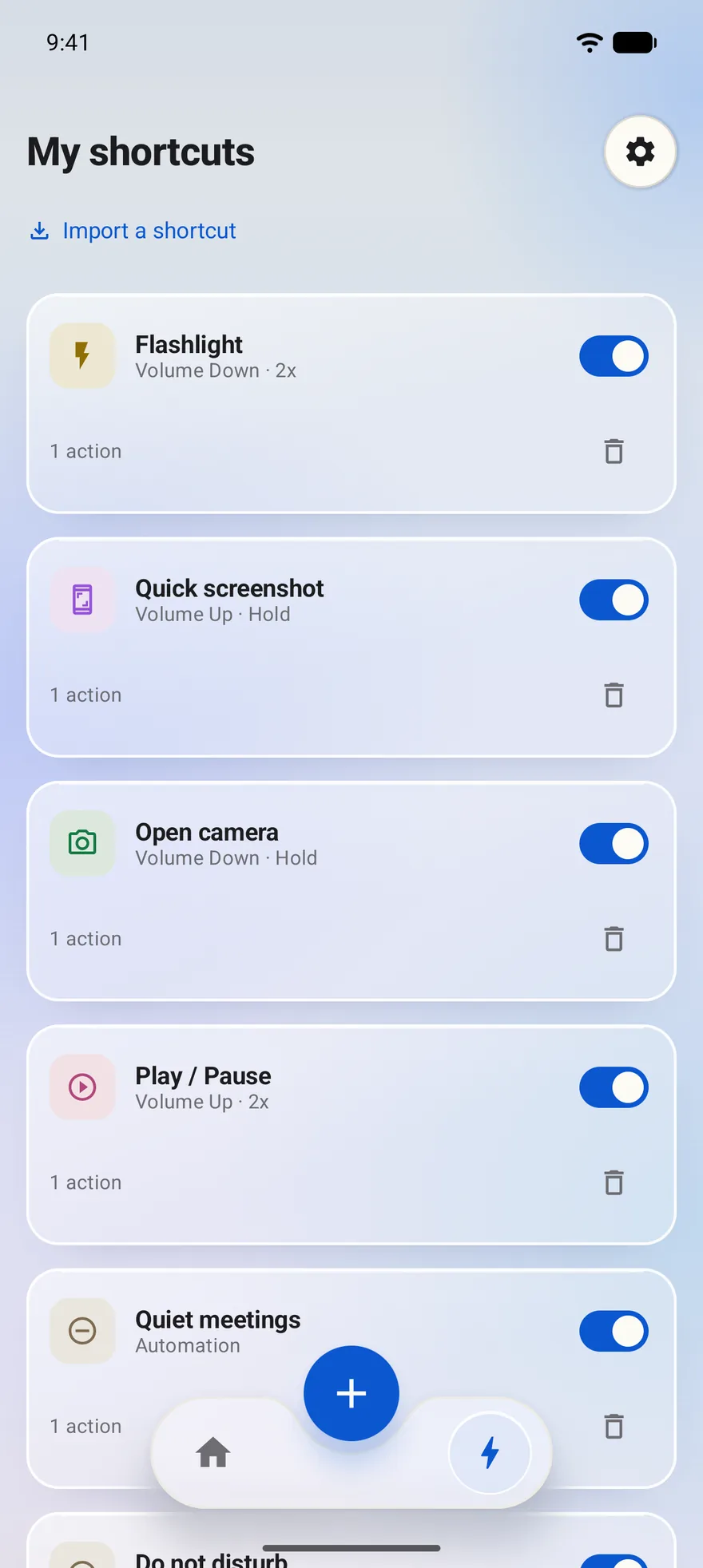
One button can hold three shortcuts.
KeySnap tells a single press, a double press and a long press apart, so each pattern on each button can run a different action.
| Button | Press | Action |
|---|---|---|
| Volume Down | Double press | Flashlight |
| Volume Up | Hold | Quick screenshot |
| Volume Down | Hold | Open camera |
| Volume Up | Double press | Play / Pause |
Action catalogue
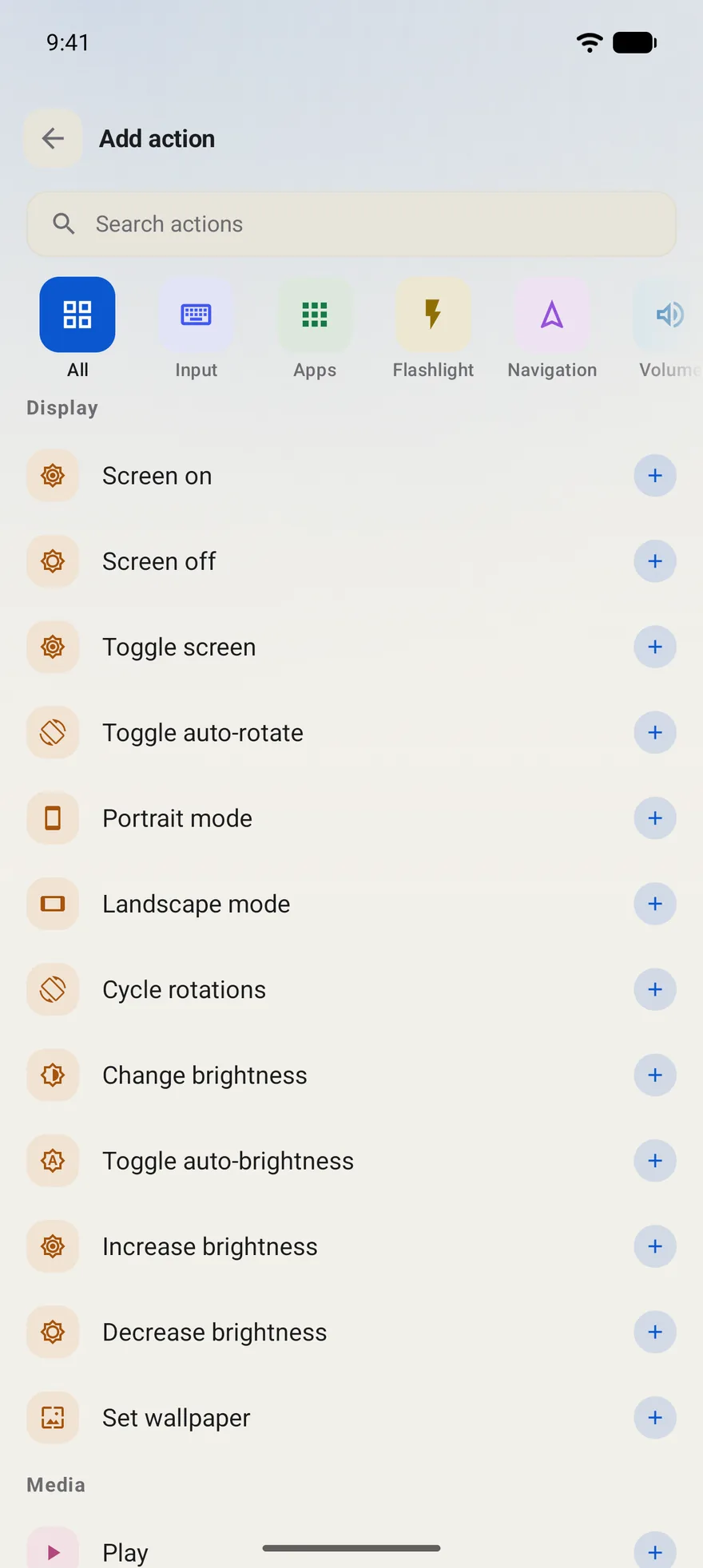
Find the action, then give it a press.
Search the catalogue, or browse it by category, such as input, apps, flashlight and navigation.
Display alone covers turning the screen on or off, auto-rotate, portrait and landscape mode, brightness and wallpaper.
Conditional automations
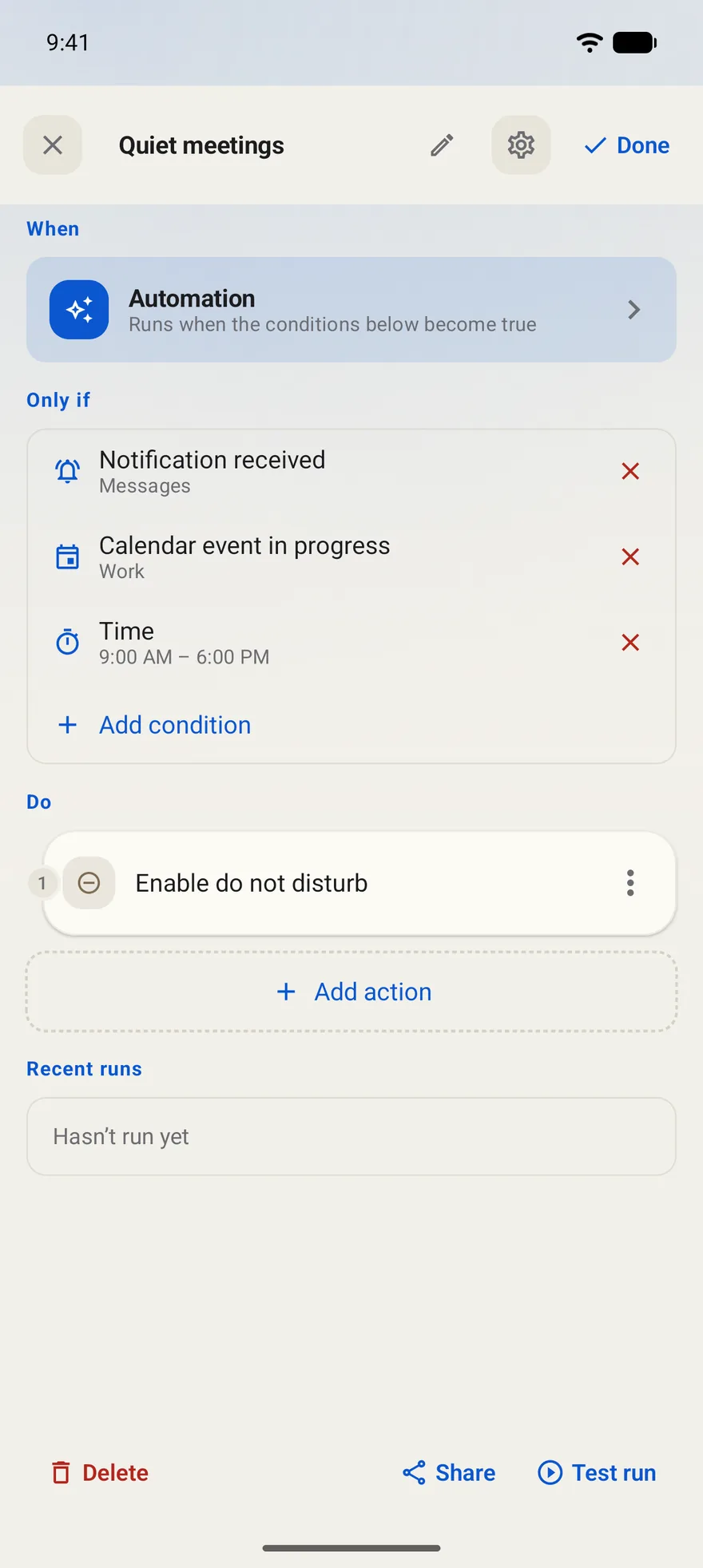
Let it run when the moment is right.
An automation pairs conditions with actions. In this example, Quiet meetings turns on Do Not Disturb when a Messages notification arrives during a Work calendar event between 9:00 AM and 6:00 PM.
Test run lets you try an automation straight away, and you can share an automation or import a shortcut.
Special keys
Use your phone’s special keys, where KeySnap detects them.
Many phones have an extra key, such as the Snap Key, Essential Key or Plus Key. Where KeySnap detects the key, you can give it shortcuts of its own. Support varies by phone, so read the guide for yours.
Make your buttons yours.
Before you install.
What is KeySnap?
KeySnap is an Android app by Arda Şen that turns your phone’s physical buttons, such as the volume buttons, into shortcuts and automations.
Which presses can start a shortcut?
Single, double and long presses. Each pattern on each button can run a different action.
What can a shortcut do?
Anything you pick from the action catalogue, for example the flashlight, a screenshot, the camera, media playback, screen rotation or brightness.
Can it act on its own?
Yes. Conditional automations run their actions when your conditions match, such as turning on Do Not Disturb during a calendar event.
Does it cost anything?
KeySnap is free to install from Google Play. The listing notes that it contains ads and offers in-app purchases.
Support
Questions, ideas or a bug to report? Write to KeySnap support.
support@ardasenn.comRead the KeySnap privacy policy